How to Search the Live Web with ChatGPT (Without Google Ads or SEO Spam)
A beginner guide to finding real-time facts with verified source badges

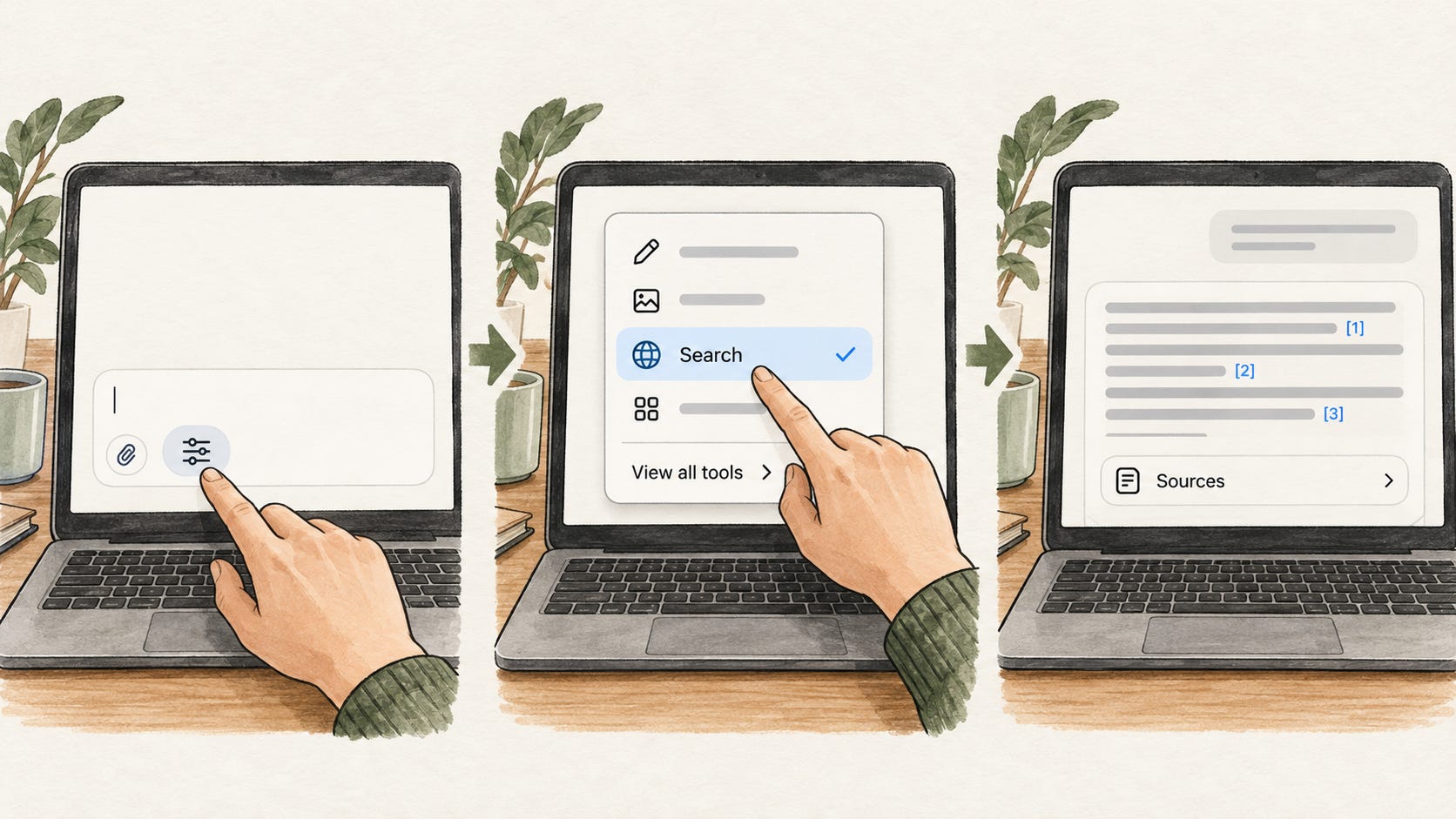
Have you noticed how difficult it has become to find a straight answer on Google lately? Are you tired of dodging four sponsored ads, clicking past cookie banners, and scrolling through affiliate blogs just to find the opening hours of a local office? What if you could search the real-time internet conversationally and get a factual answer with clickable source citations attached?
This article answers one question: how can you use ChatGPT Search to verify a live fact on the internet in under two minutes with zero advertising clutter?
Help keep useful AI advice free.

I’m a real person, my name is Phillip Alcock, and I am an educator turned AI workflow creator.
I started AI for Beginners to give you clear explanations, practical examples and honest guidance without the hype.
Subscribe free for new posts. If my work helps you, consider becoming a paid supporter. Your support gives me more time to test tools, create tutorials and keep these articles free for everyone.
Become a supporter for just $5/month or $50/year and help keep AI for Beginners free for everyone!
Each subscription allows me to create a new article!
For educators: Find AI workflows and courses at my education blog and find out more about my education project PBL Future Labs here.
What It Is
Think of traditional search engines like a crowded shopping centre billboard. You ask where to find a winter coat, and the billboard salesman points you toward three stores that paid him to put up flyers, regardless of whether they have what you need.
Behind the scenes, ChatGPT analyses your everyday question, runs an automated search across the live internet, extracts the relevant facts from reputable publishers, and attaches small numbered badges that link directly to the original web pages.
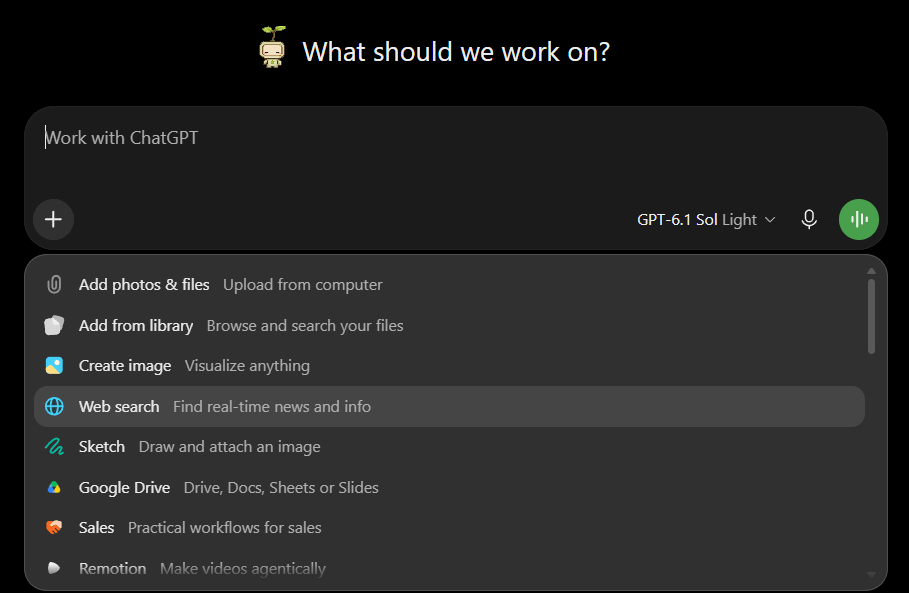
★ Remember: ChatGPT Search only visits the live internet when you click the Search globe icon or ask about recent events. Otherwise, it answers from its fixed training memory.
Here Is How You Can Use It
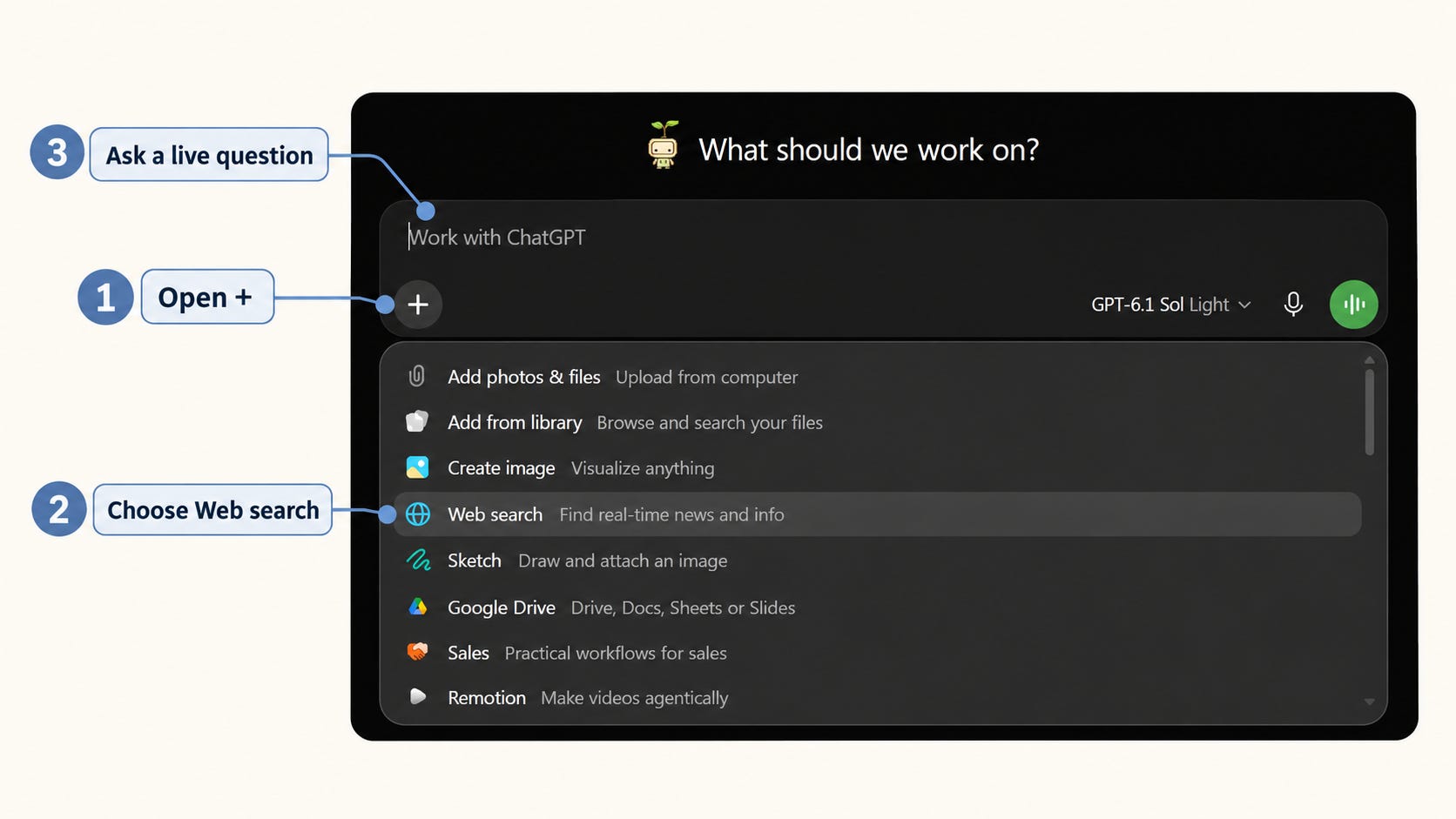
You do not need a paid subscription or complex technical instructions to start. Here is a simple, zero-risk demonstration you can try today:
Where to click: Open chatgpt.com. In the prompt bar at the bottom, look for the small globe icon labelled Search. Click it so it turns blue.
What to type: Paste this simple question into the box:”What are the current baggage allowances for Qantas domestic flights in 2026, and did weight limits change recently?”
What to watch for: Watch the screen briefly display a search animation. In two seconds, ChatGPT outputs a clear two-paragraph summary with small pill-shaped badges at the end of each sentence. Click any badge to open the official airline policy page in a clean side drawer.
Your Pathway Forward
Building confidence with real-time AI search takes only a few minutes when you take it one small step at a time:
Step 1: Open ChatGPT, tap the Search globe icon, and ask for today’s weather forecast or local news headline to watch the live badges appear.
Step 2: Use ChatGPT Search to research one upcoming purchase or travel itinerary, clicking through to inspect the cited sources.
Step 3: Install the ChatGPT search browser extension so you can bypass traditional commercial search engines completely.
Phil
Discussion about this post