
What “Constraint Setting” Actually Means
Prompting Tips

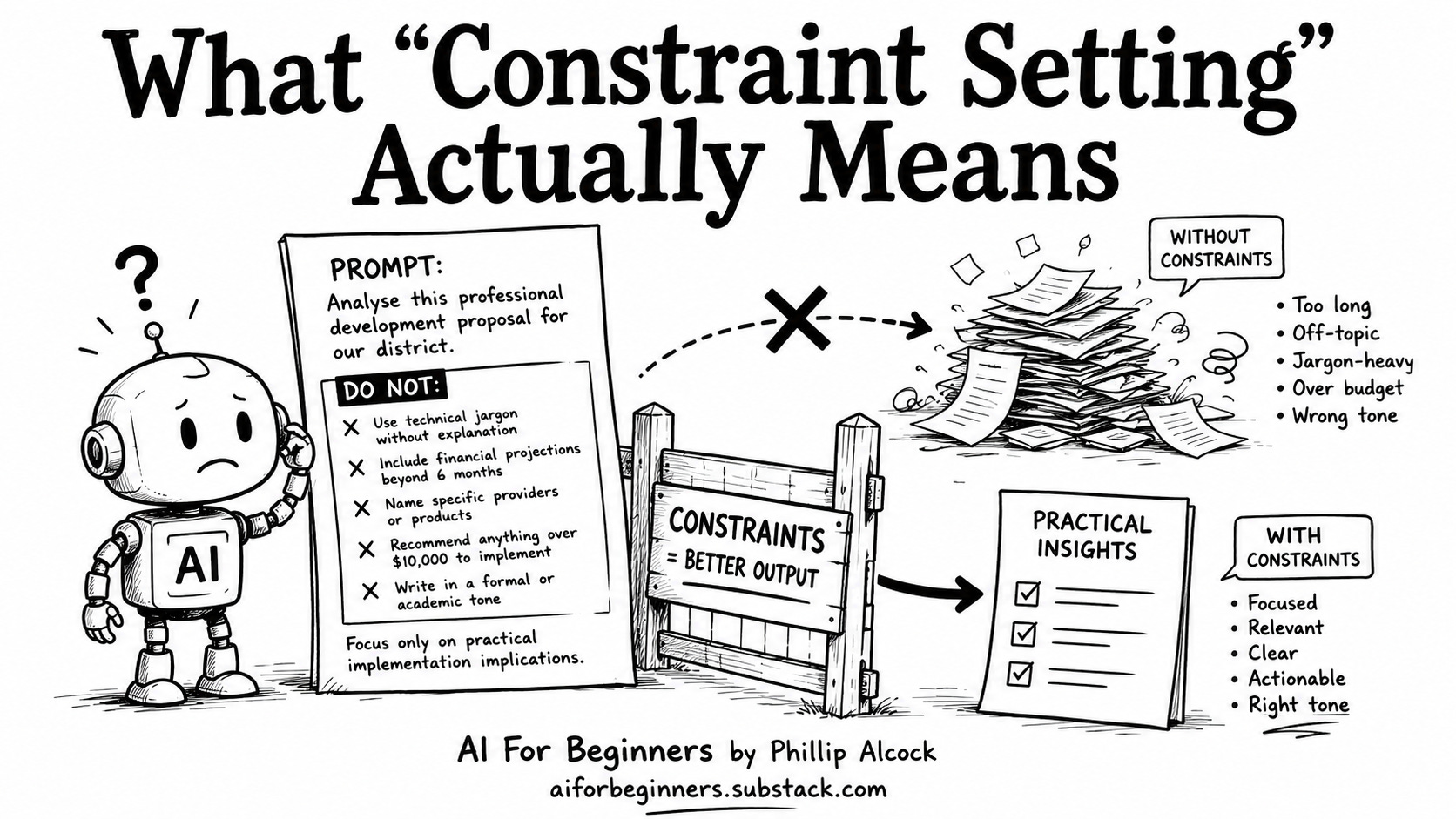
“Constraint setting” sounds like it belongs in a software developer’s handbook. It doesn’t. It means writing a list of what you don’t want, right inside your prompt, before Claude has a chance to guess wrong.
Most people only tell Claude what they want. They leave the rest to the AI. Claude has no idea what to leave out.
❌ What most people do
The prompt:
Analyse this professional development proposal for our district.Claude returns four pages. There’s a section comparing alternative providers, you didn’t ask for that. There are cost projections running out eighteen months. The language reads like a policy brief: formal, hedged, the kind of writing that makes a principal’s eyes glaze over in thirty seconds. Nothing is wrong. Nothing fits either. You spend twenty minutes editing it back to something usable, which is the exact problem you were trying to avoid.
✅ What to do instead
Add a DO NOT section. Write it before the content, not after.
The prompt:
Analyse this professional development proposal for our district.

DO NOT:
- Use technical jargon without a plain-language explanation
- Include financial projections beyond six months
- Name specific competing providers or products
- Recommend anything requiring more than $10,000 to implement
- Write in a formal or academic tone — this goes to a working principal,
  not a policy board

Focus only on practical implementation implications.
Three things you can try right now
Rerun your last Claude output with a DO NOT list added. Pull up the last professional document you generated through Claude. Add three constraint lines and run it again. Notice what disappears from the response.
Build a constraint list for your grant summary workflow. If you write federal or foundation grants, tell Claude upfront: no unverified statistics, no budget figures outside the NOFO parameters, no language that doesn’t appear in the original grant requirements. You’ll get compliance-ready language the first time through, not after two rounds of cleanup.
Add a scope limiter to your curriculum review prompts. When analysing a scope and sequence, add: “Focus only on ELA strand alignment. Do not comment on pacing unless it directly relates to standards coverage.” Claude goes deep on one thing rather than shallow on everything.
How to save it for next time
Drop this into your Claude Project instructions. It runs quietly in the background every time you open a conversation:
When I ask you to analyse any document — a proposal, a curriculum plan,
a grant draft, a scope and sequence — apply these constraints by default:

DO NOT:
- Use education jargon without a plain-language explanation
- Include financial projections beyond 12 months
- Name specific third-party products, vendors, or competitors
- Recommend anything requiring more than [your budget ceiling] to implement
- Write in an academic or policy tone — my audience is practitioners,
  not boards

Focus on practical implications only. If something falls outside that
scope, flag it in one sentence and move on.
Replace [your budget ceiling] with the real number for your district clients. That one substitution means Claude is already working inside your actual constraints before the conversation starts.
Add a DO NOT section to your next Claude prompt today.
Built with AI Blueprints for Education × PBL Future Labs — Phil